

Download O&O Defrag – defragmentation, disk optimization, system performance, file organization, hard drive maintenance, Windows tool
Overview
O&O Defrag is a specialized disk optimization tool developed for Windows users seeking to maintain peak system performance through advanced file organization. Designed to address the growing issue of disk fragmentation, the application reorganizes scattered files on hard drives to improve access speed and overall responsiveness. Unlike the basic defragmentation utility included with Windows, O&O Defrag delivers enhanced functionality and faster processing, making it a valuable asset for both casual and power users who rely on consistent computer performance.
The app is particularly beneficial for individuals who frequently create, modify, or delete files—such as content creators, developers, and office professionals—where system speed directly impacts productivity. By reducing file fragmentation, O&O Defrag helps minimize load times, improve application responsiveness, and extend the lifespan of storage devices. It serves as a proactive maintenance tool, ideal for users who want to prevent performance degradation over time rather than react to slowdowns after they occur.
Developed by O&O Software, a company known for system utilities, the application reflects a focus on reliability and technical precision. Although the developer did not provide additional background on the company’s history or other products, the app’s release date of January 31, 2025, indicates a recent update, suggesting ongoing development and support. O&O Defrag fits within the broader ecosystem of Windows maintenance tools, offering a more robust alternative to built-in utilities and filling a niche for users seeking deeper control over their system’s disk health.
Key Features & Functionality
- High-Speed Defragmentation: O&O Defrag leverages optimized algorithms to process disk reorganization at significantly faster rates than standard defragmenters. This allows users to complete full system scans and optimizations in less time, minimizing disruption to daily workflows.
- Advanced Optimization Strategies: The application supports customizable defragmentation profiles, enabling users to tailor the process based on usage patterns, file types, or performance priorities. This flexibility allows for both aggressive optimization and lightweight maintenance.
- User-Friendly Interface: Despite its advanced capabilities, the app maintains an intuitive layout that simplifies navigation. Settings are clearly labeled, and common tasks such as initiating a defrag or scheduling a scan can be completed with minimal clicks.
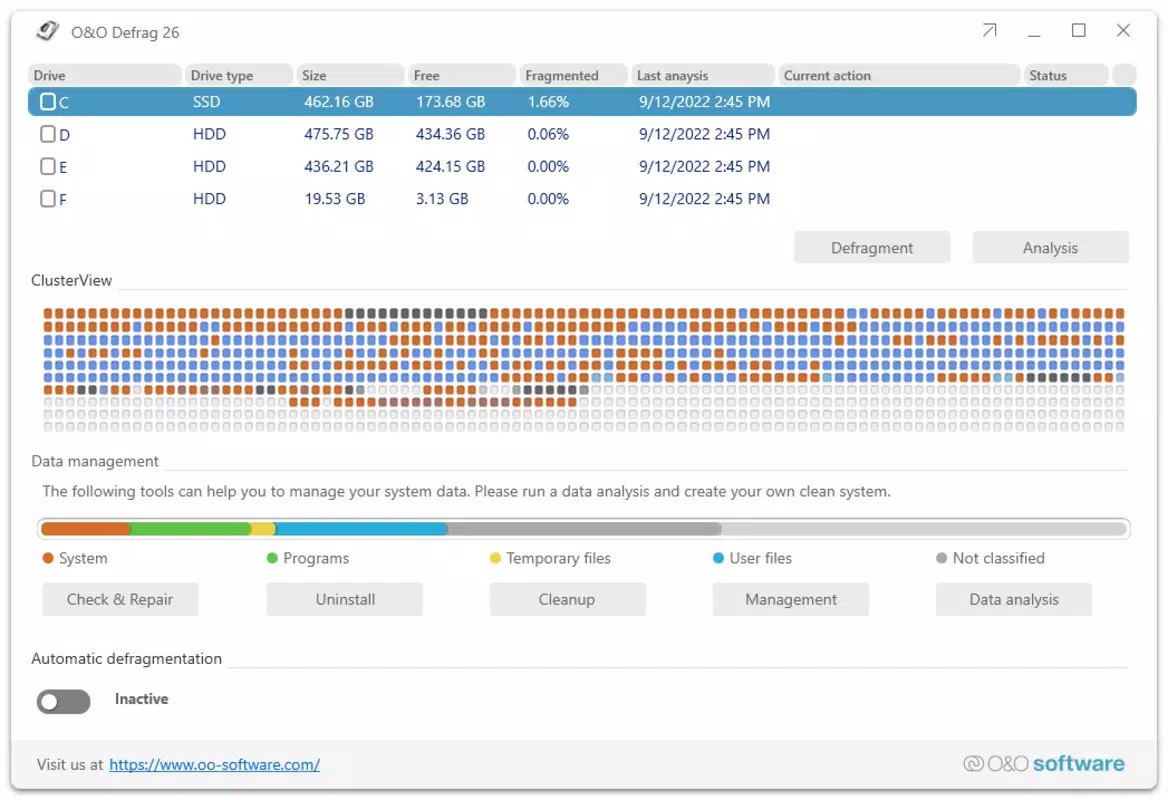
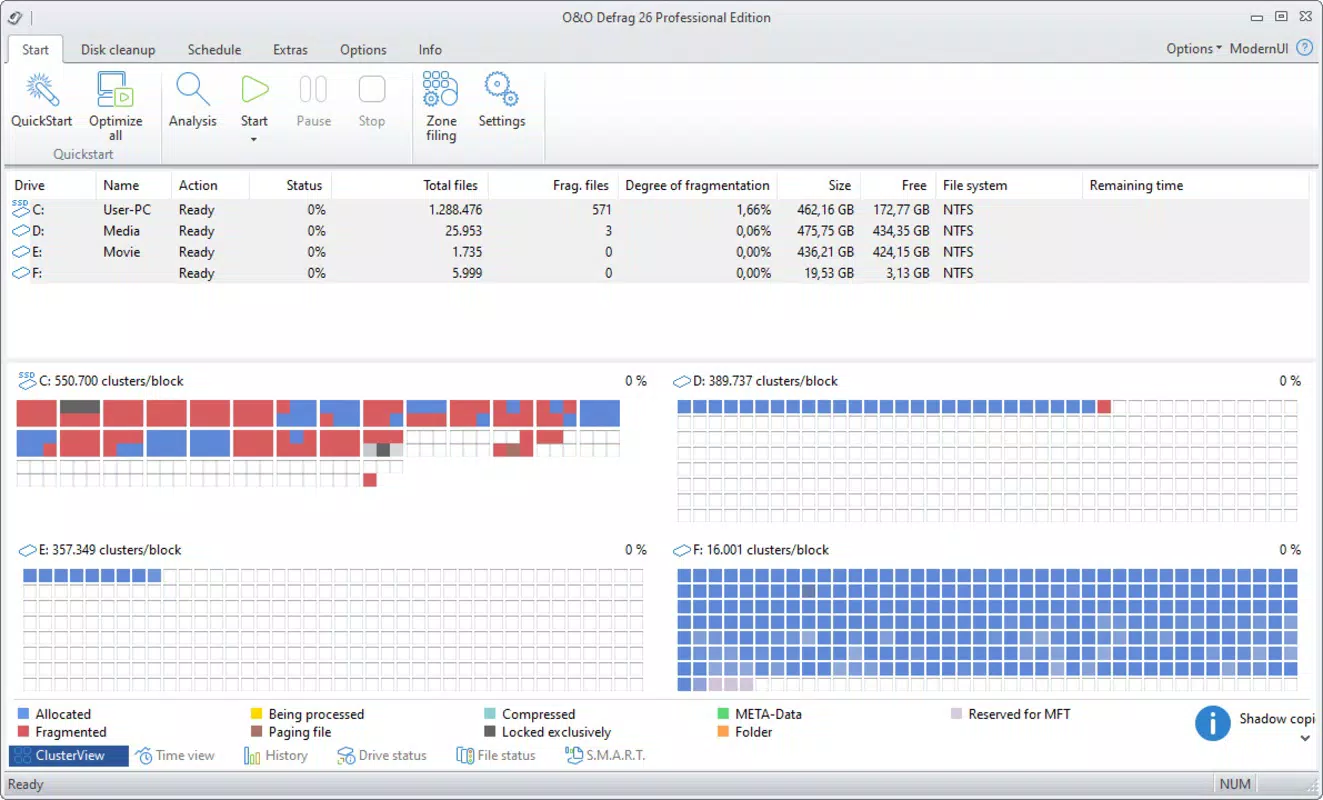
- Real-Time Monitoring: Users can track the progress of defragmentation operations in real time, with visual indicators showing file movement, system impact, and estimated completion times. This transparency helps users understand the optimization process and ensures no unexpected system strain occurs.
- Scheduled Defragmentation: The built-in scheduler allows users to automate defragmentation tasks during off-peak hours, such as overnight or during lunch breaks. This ensures the system remains optimized without requiring manual input.
For example, a graphic designer working with large image files might use the advanced strategy mode to prioritize contiguous storage for project files, reducing load times during editing. Similarly, an office worker could schedule weekly defragmentation during weekends to maintain system efficiency without interrupting work hours.
Interface, UX & Performance
The user interface of O&O Defrag is clean and logically structured, featuring a dashboard that displays drive status, fragmentation levels, and current optimization progress. Navigation is straightforward, with clearly labeled sections for quick access to settings, scheduling, and real-time monitoring. The visual design emphasizes functionality over aesthetics, using color-coded indicators and progress bars to convey system health at a glance.
Although the developer did not list formal performance metrics, the app is designed to operate efficiently in the background, minimizing CPU and memory usage during defragmentation. Users can expect smooth operation across various device categories, from standard desktops to high-performance workstations. Responsiveness remains consistent even during intensive scans, and the application maintains stability throughout the process.
Performance is further enhanced by the ability to pause and resume operations, which is useful for users who need to reclaim system resources temporarily. The app also respects user-defined priorities, allowing the system to remain usable during optimization tasks. While no specific information was provided about compatibility with older Windows versions or hardware configurations, the application is built to run on modern Windows systems with standard disk drives.
Platform Compatibility & Technical Requirements
O&O Defrag is designed exclusively for the Windows platform and is compatible with current and recent versions of the operating system. The application requires a Windows environment to function, with no information provided about minimum OS versions or hardware specifications. The file size is listed at 47.6 MB, indicating a lightweight installation that should not strain storage space on most systems.
The software version is 25.0.1, released on January 31, 2025, reflecting a recent update that likely includes bug fixes, performance improvements, and enhanced compatibility. While the developer did not specify exact technical requirements, the app is intended for use on standard desktop and laptop systems equipped with traditional hard drives or SSDs, where defragmentation remains relevant.
Pros and Cons
- Advanced defragmentation algorithms for faster performance
- Customizable optimization profiles for tailored results
- Intuitive interface suitable for non-technical users
- Real-time monitoring for transparency and control
- Scheduled defragmentation to maintain system health automatically
- Price point of $39.95 may be considered high for casual users
- No information provided on compatibility with older Windows versions
- Not available on mobile platforms such as Android or iOS
- Requires manual setup for advanced features
- May not be necessary for users with modern SSDs, which do not benefit from traditional defragmentation
FAQ
Is O&O Defrag safe to use on my system?
O&O Defrag is a trusted utility developed by O&O Software, a reputable provider of system tools. It operates within the Windows environment using standard system permissions and does not modify critical system files unless explicitly instructed. Users are advised to back up important data before running any disk optimization process.
Can I use O&O Defrag on SSDs?
While the app is designed for traditional hard drives, its use on SSDs is generally not recommended. SSDs do not suffer from fragmentation in the same way as HDDs, and defragmenting them may reduce their lifespan. Users with SSDs should rely on built-in TRIM commands instead.
How often should I run O&O Defrag?
Frequency depends on usage. For users with heavy file activity, running the defragmentation process weekly is advisable. For lighter use, monthly optimization may suffice. The built-in scheduler simplifies setting up regular maintenance tasks.
Does O&O Defrag require a license to use?
Yes, O&O Defrag is a paid application priced at $39.95. It does not offer a free version or trial period, though the developer may provide limited access through third-party platforms. Users should purchase directly from the official source to ensure authenticity and support.
Is O&O Defrag compatible with Windows 10 and Windows 11?
Based on the release date and platform specification, O&O Defrag is intended for use on modern Windows systems, including Windows 10 and Windows 11. However, specific compatibility details were not disclosed by the developer.
Final Thoughts
O&O Defrag stands out as a powerful, precision-engineered tool for users who demand more from their system’s disk management. Its combination of speed, customization, and real-time feedback makes it a compelling choice for anyone looking to maintain long-term performance on Windows systems with traditional hard drives. While the price may deter casual users, professionals and power users will find the investment justified by the tangible improvements in system responsiveness and efficiency.
For those who regularly work with large files or manage data-intensive projects, O&O Defrag offers a reliable, automated solution to prevent performance degradation. Its scheduled operations and intuitive interface ensure consistent maintenance without requiring constant oversight.
Download O&O Defrag now


